Add and manage stores (branches)
Each branch has its own stock, sales, staff and expenses.
In StockỌja a store is one branch or location. Stock, sales, staff and expenses are tracked per store.
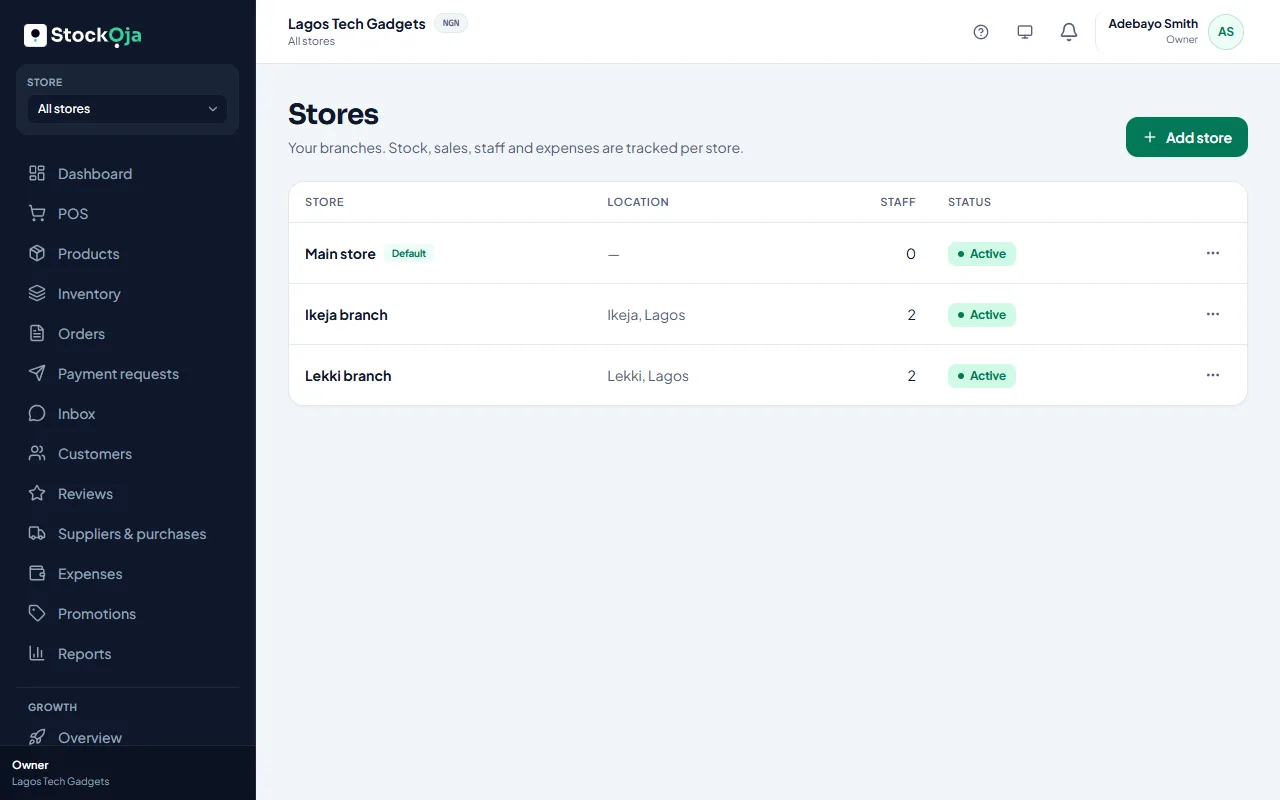
Add a store
Go to Stores and select Add store.
Enter the store name, address and contact details.
Choose a Receipt prefix: 2–6 letters or digits. For example, IKJ gives receipts like IKJ-000123.
Turn on Offer pickup from this store if online shoppers can collect orders there.
Save.
Edit a store
Select a store in Stores to change its details, receipt prefix or pickup setting.
Switch between stores
Use the Store switcher at the top of the app to work in one branch, or see All stores together.
Next, add stock for the new store with a transfer or a purchase order, and invite its staff.
Related articles
- What the default store is for Your first store is the default. It’s used when StockỌja needs one store and you haven’t picked one.
- Deactivate or reactivate a store Close a branch without losing its history. You can reactivate it later.
- Plan limits: stores, staff and products See how much of your plan you’re using, and what happens when you reach a limit.
- Move staff to another store Transfer a store-based staff member to a different branch.