Create a purchase order
Record what you’ve ordered from a supplier and what each unit costs.
Go to Suppliers → Purchase orders and select New purchase order.
Choose the Supplier and the Receiving store: stock is added there when it arrives.
Set the Expected delivery date and a Note for this order if you like.
Under Items, search for each product, then enter the Quantity and Unit cost.
Select Save as draft, or Save and mark as ordered.
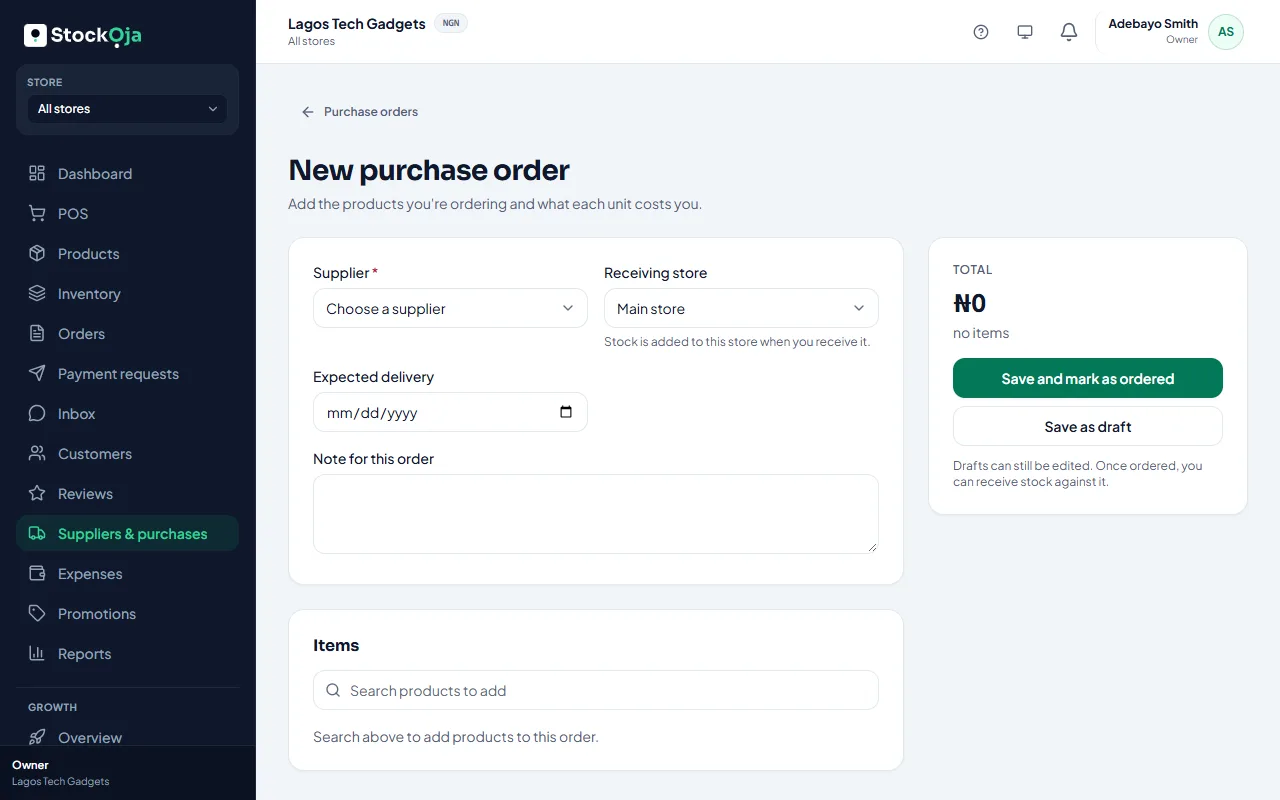
Drafts can still be edited. Once marked as ordered, you can receive stock against it.
Purchase order statuses
Draft, Ordered, Partly received, Received and Cancelled. Filter by status, or choose Open (not fully received).
Related articles
- Receive stock from a purchase order Enter what arrived. Stock is added to the receiving store at the unit cost.
- Add a supplier Keep the people and companies you buy stock from, with their contact details.
- Low-stock alerts Get warned before you run out, per product and per store.
- Cancel a purchase order Cancel an order you no longer expect. Stock already received stays.