Plan limits: stores, staff and products
See how much of your plan you’re using, and what happens when you reach a limit.
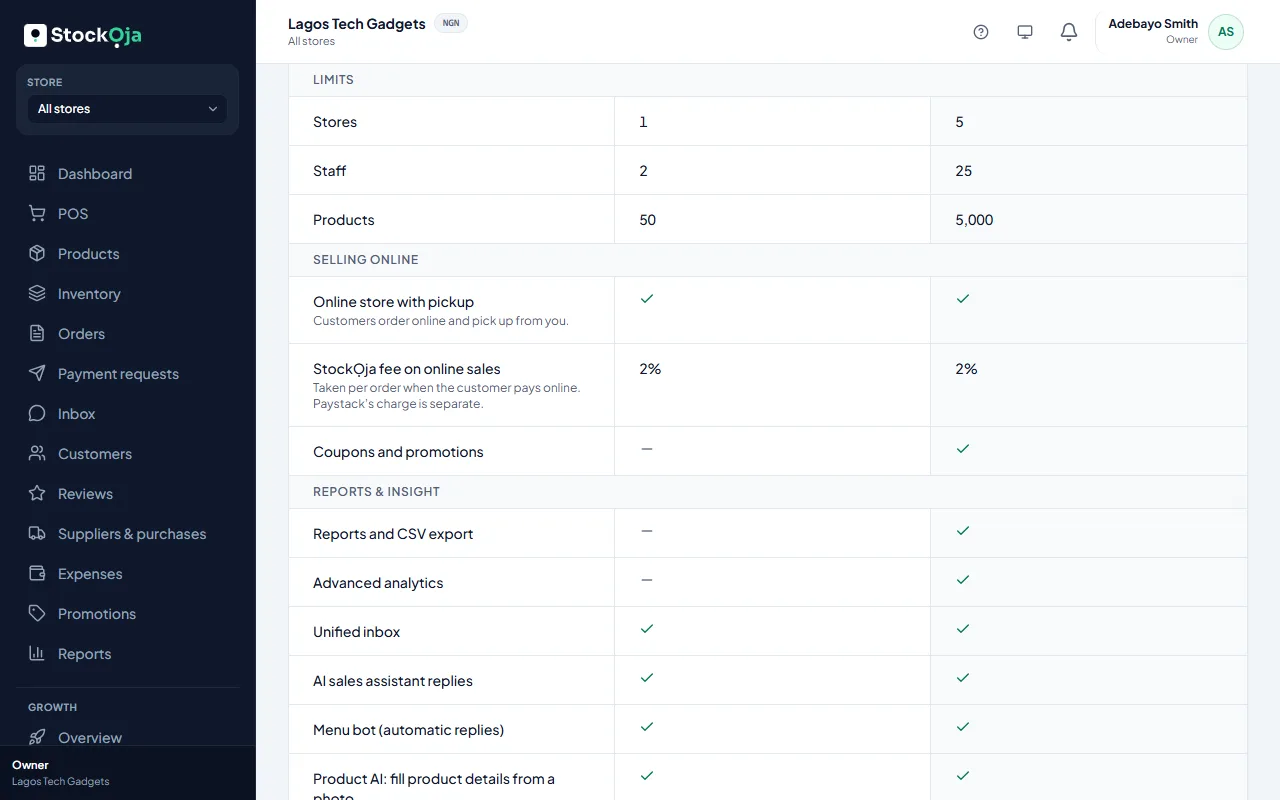
Plan & billing shows how many Stores, Staff and Products you’re using, out of what your plan allows. Items close to their limit show Almost full, and full ones Limit reached.
When you reach a limit
You can’t add more of that item until you upgrade or free up room. For example, archive products you no longer sell, or deactivate staff who have left.
Everything you already have keeps working.
Other limits depend on your plan too, such as connected chat accounts and AI replies each month. You’ll find them where you use them, for example Settings → Integrations.
Related articles
- Upgrade or change your plan Pay for a plan by card through Paystack, renew automatically, or switch back to Free.
- Plans and what they include Start free. Paid plans add more stores, staff and products, and features such as reports and promotions.
- Billing history and invoices Every plan payment, with its invoice number, date, amount and status.
- I paid but my plan didn’t change What to do when a plan payment is still pending or didn’t go through.