Find a past sale
Look up in-store sales with their receipts, payments and returns.
Go to POS → Sales history. Search, or filter by status.
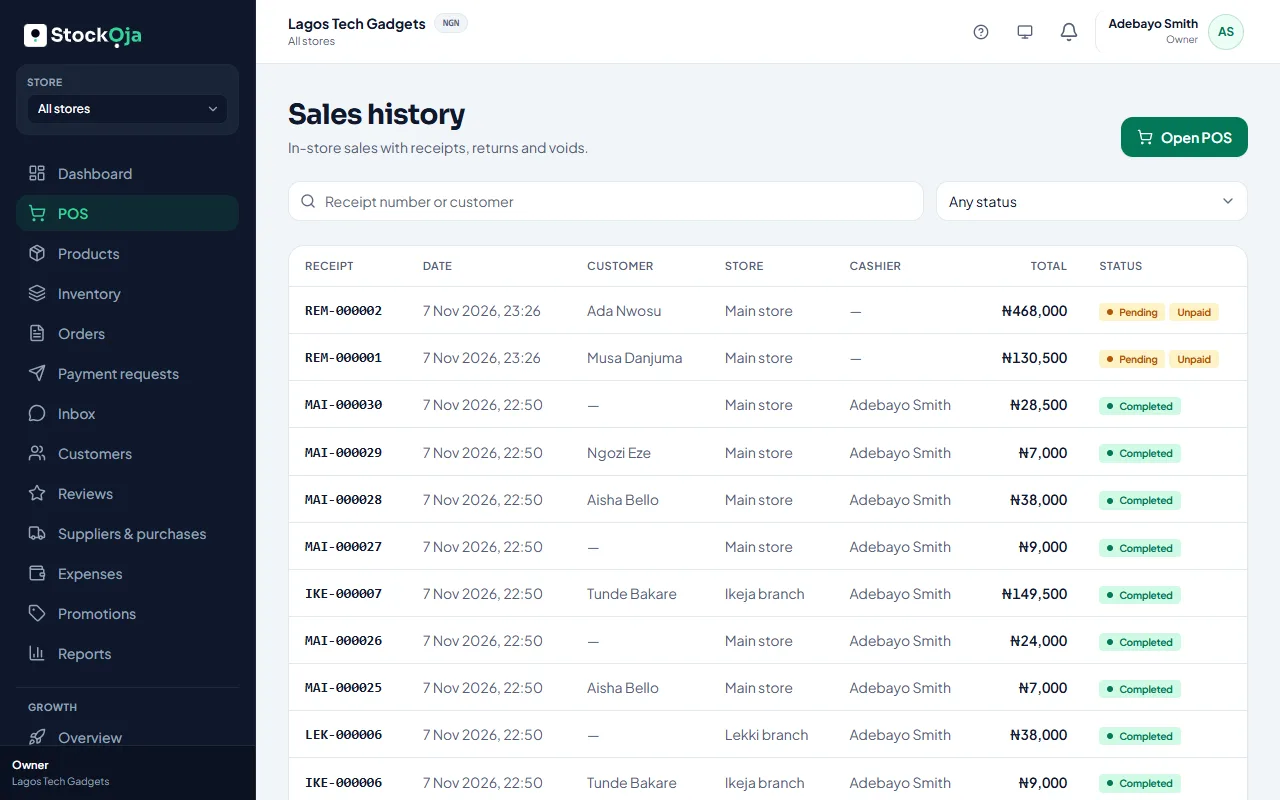
Open a sale to see:
Items, Payments and Returns;
Activity: when it was completed, returned or voided;
the cashier and customer.
From here you can Print receipt, Return items or Void sale.
Online orders are in Orders, not here.
Related articles
- Return items or void a sale Refund some items, or cancel a whole sale entered by mistake.
- Print a receipt Print the receipt after a sale, or reprint it later from Sales history.
- Sales and profit report Net sales, gross profit, expenses and net profit, by payment method, channel and store.
- Sell at the counter with the POS Find or scan products, take payment and complete the sale. Stock goes down by itself.