Return items or void a sale
Refund some items, or cancel a whole sale entered by mistake.
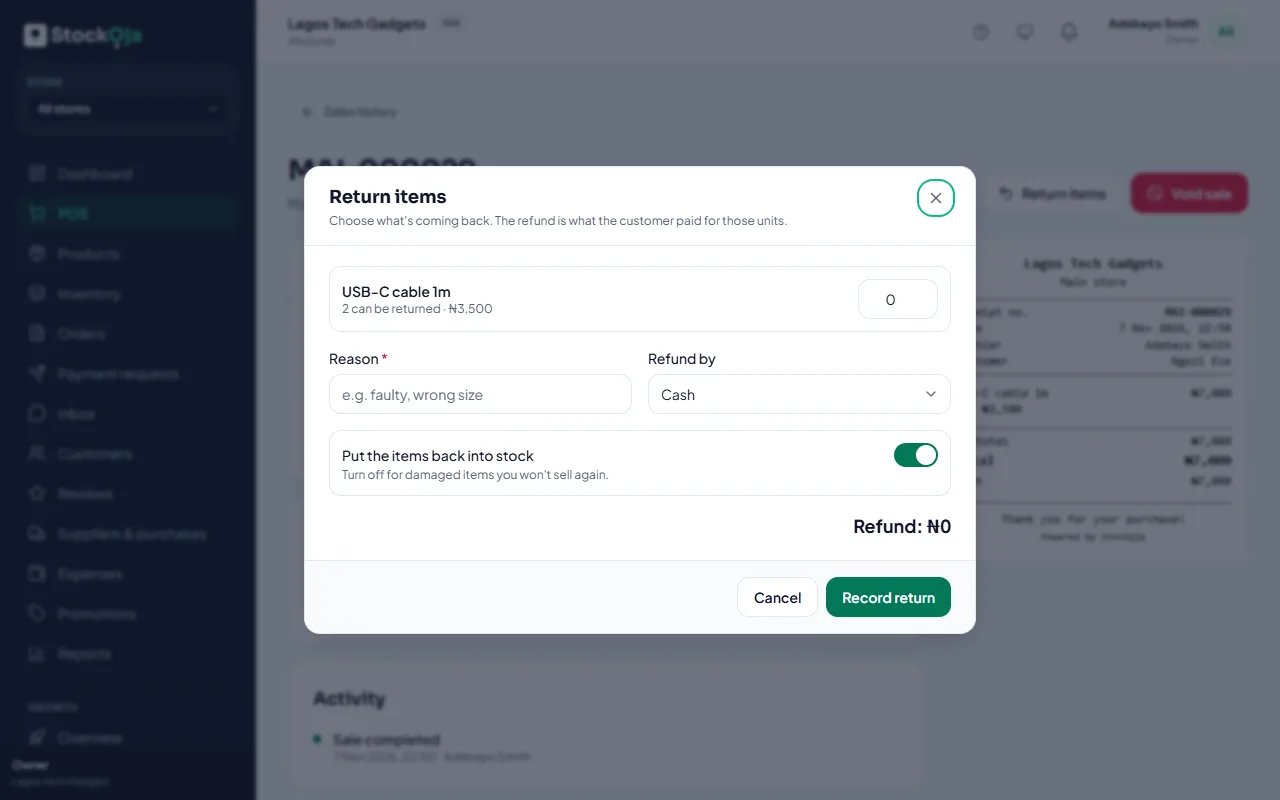
Return some items
Go to POS → Sales history and open the sale.
Select Return items.
Choose what’s coming back and how many.
Give a Reason and choose Refund by: Cash, Card, Transfer, Store credit or Other.
Leave Put the items back into stock on, unless the items are damaged and won’t be sold again.
Select Record return.
The refund is what the customer paid for those units, after any discount.
Void a whole sale
Use Void sale when the whole sale was a mistake, for example entered twice. All items go back into stock and the sale is marked refunded.
For an exchange, record a return, then a new sale.
Related articles
- Find a past sale Look up in-store sales with their receipts, payments and returns.
- Permissions explained What each permission allows, grouped by area.
- Cancel an order and refund the customer Cancelling releases the stock. Online payments are refunded in full automatically.
- Failed payments and refunds What happens when an online payment fails, and how refunds reach customers.