Receipt footer and numbers
Add a returns policy or thank-you note to receipts, and set each store’s receipt prefix.
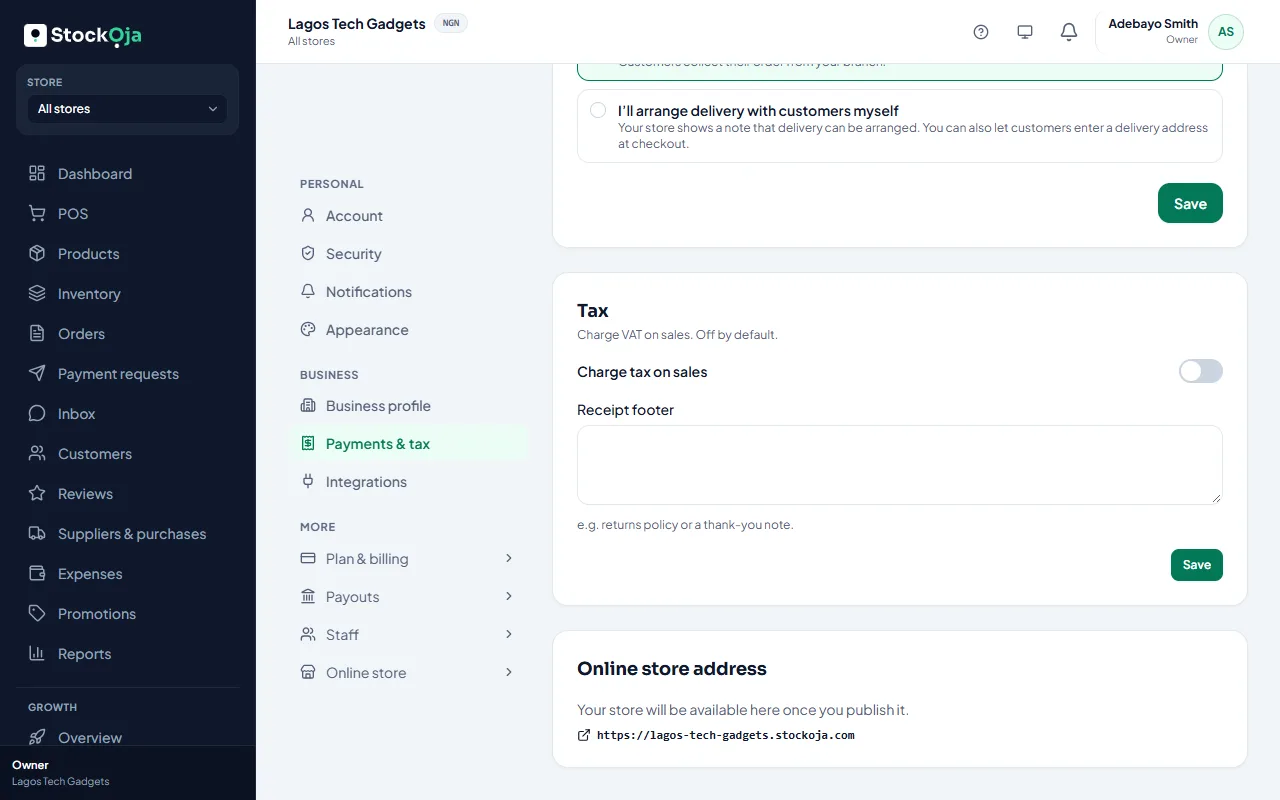
Receipt footer
Go to Settings → Payments & tax → Receipts. In Receipt footer, type a short note, such as your returns policy or a thank-you message, then save.
Receipt numbers
Each store numbers its receipts with its Receipt prefix, such as IKJ-000123. Change it in Stores by editing the store.
Your business name, logo and the store’s details also print on receipts. See Edit your business profile.
Related articles
- Print a receipt Print the receipt after a sale, or reprint it later from Sales history.
- Add and manage stores (branches) Each branch has its own stock, sales, staff and expenses.
- Billing history and invoices Every plan payment, with its invoice number, date, amount and status.
- Payment receipts for remote payments Each payment on a remote order gets a receipt you can view or print.