Stock numbers don’t match what’s on the shelf
Find out why stock is off, and correct it.
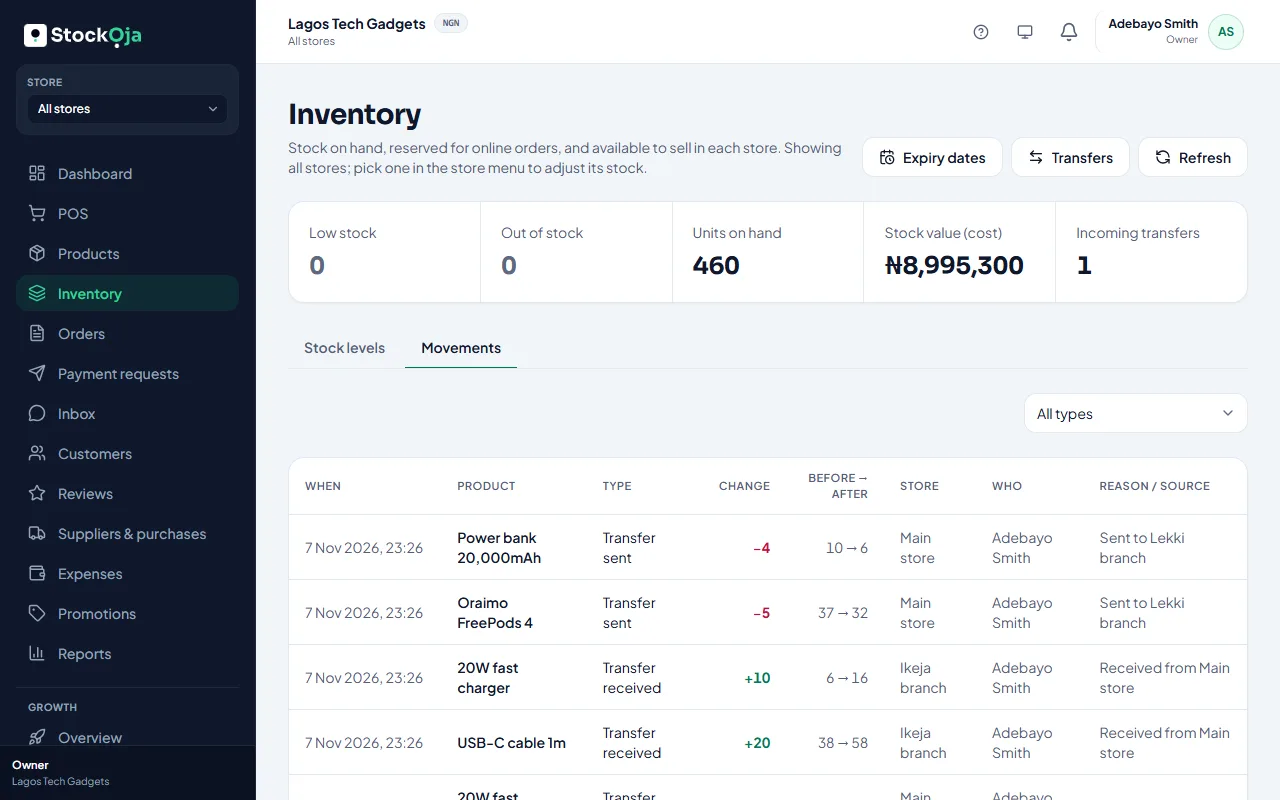
Find out why
Open the product in Inventory and check its stock history. Every change is listed with who made it and why. Common causes:
Offline sales not synced yet on a till. Check Sync status on that device.
Online orders still open: stock is held for them, so it isn’t available to sell.
A transfer not received yet: the stock left one store but hasn’t arrived at the other.
The wrong store chosen in the store menu.
Sales, returns or deliveries that weren’t recorded.
Correct it
Count what you have and record it. See Count and correct your stock. Give a reason, so the change is clear in the history.
Related articles
- Stock history for a product Every stock change, with who made it, when and why.
- Count your stock and correct differences Do a stock count and record the real numbers with adjustments.
- Adjust stock (and why a reason is required) Add, remove or set a counted quantity, with a reason that’s kept in the history.
- Contact StockỌja support Send a request from the app. We reply there and by email.