Stock history for a product
Every stock change, with who made it, when and why.
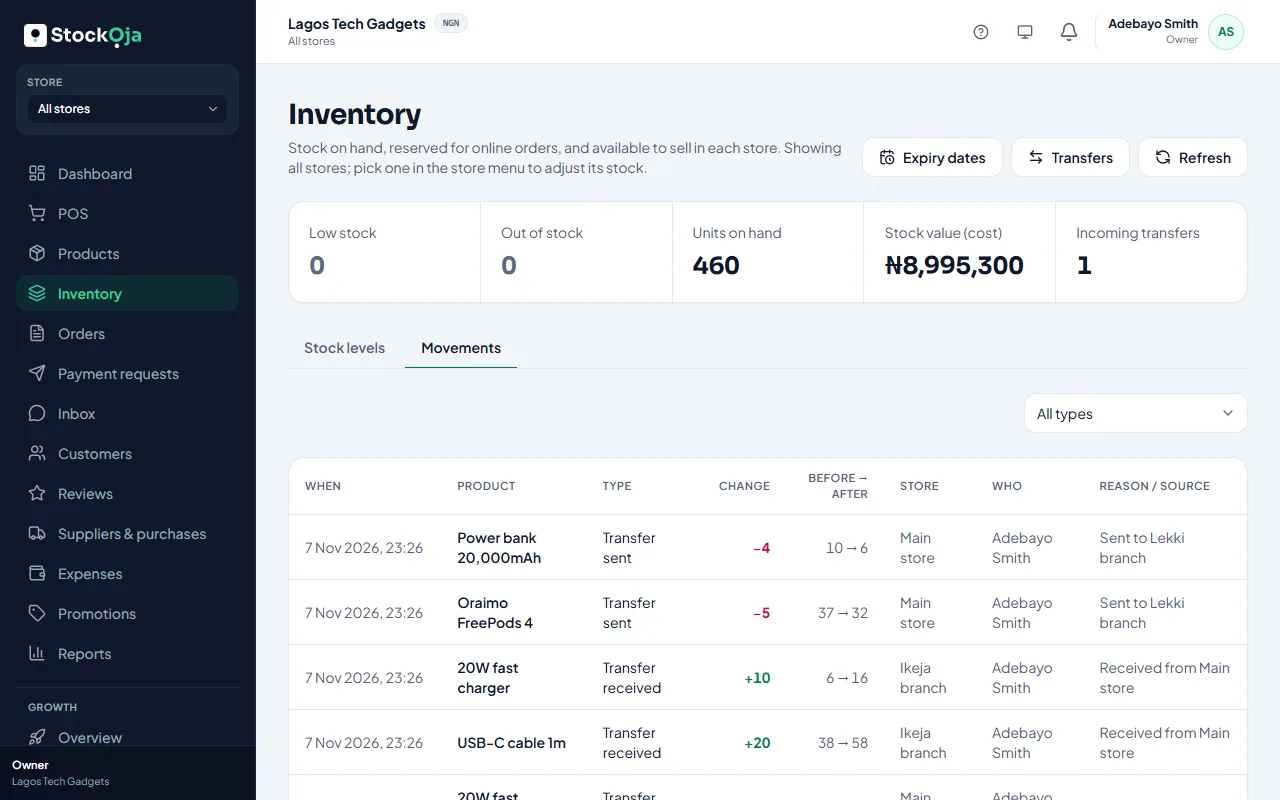
For one product
In Inventory, select a product. Movement history lists every change to its stock in each store.
For everything
Go to Inventory → Movements and filter by type:
Opening stock
Adjustment
Sale, Return, Voided sale
Purchase received
Transfer sent, Transfer received, Transfer returned
Each line shows the quantity, the store, who made it and the reason. The history can’t be edited, so it always adds up to today’s stock.
Related articles
- Adjust stock (and why a reason is required) Add, remove or set a counted quantity, with a reason that’s kept in the history.
- Stock numbers don’t match what’s on the shelf Find out why stock is off, and correct it.
- See who did what (activity log) A permanent record of important changes to your business, stores, staff and roles.
- Check your stock levels See what’s on hand, reserved for online orders and free to sell in each store.