Add several products quickly
Type many products in rows, with just a name, price and quantity.
Quick add is the fastest way to get started.
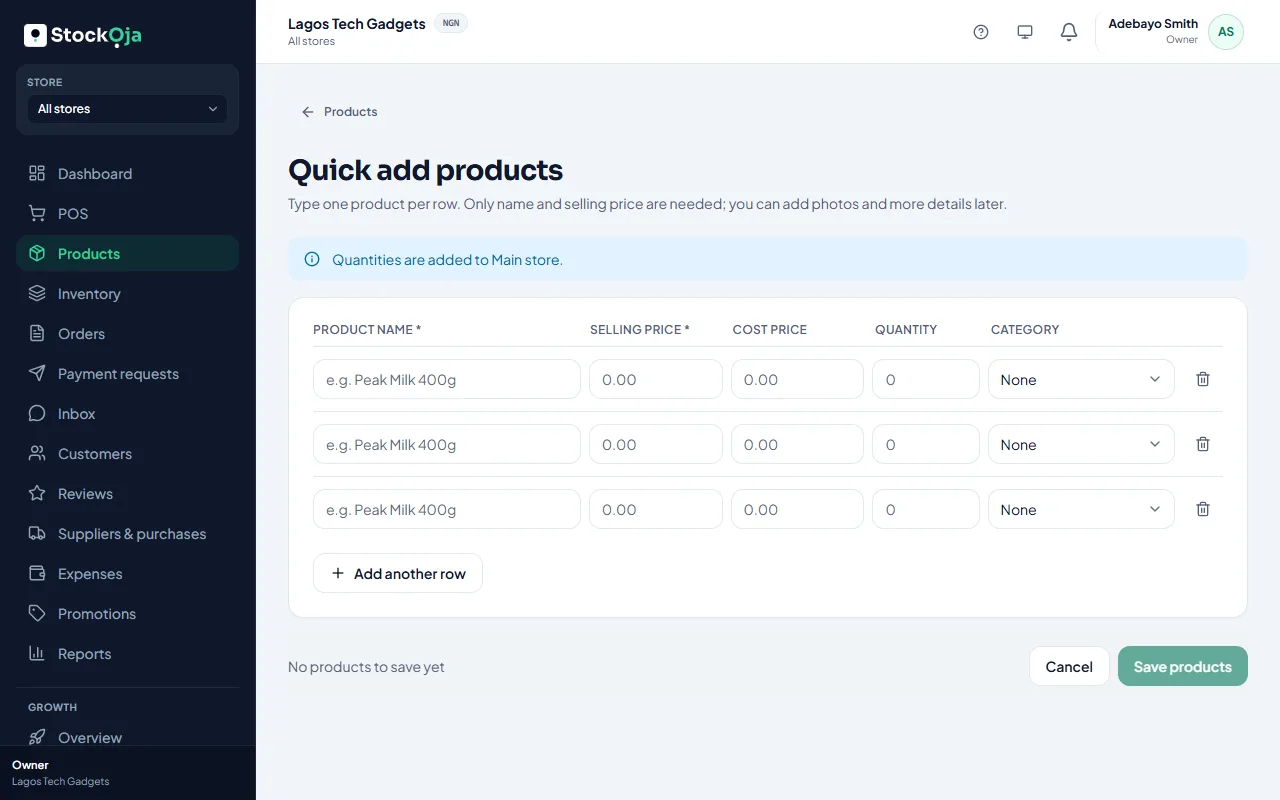
Go to Products, select Add product, then Quick add several.
Type one product per row: name, selling price and quantity. Only the name and selling price are needed.
Select Add another row for more.
Select Save products.
Quantities are added to the store you’re working in (shown above the rows). You can save up to 50 rows at a time; save them, then add more.
Add photos and other details later by opening each product.
Related articles
- Import products from a spreadsheet (CSV) Upload many products at once from a CSV file made in Excel or Google Sheets.
- Add a product Add one product with its price and stock, then add more details whenever you like.
- Add product photos Good photos sell better online. Add several and choose the main one.
- Archive or restore a product Stop selling a product without losing its sales and stock history.