Import products from a spreadsheet (CSV)
Upload many products at once from a CSV file made in Excel or Google Sheets.
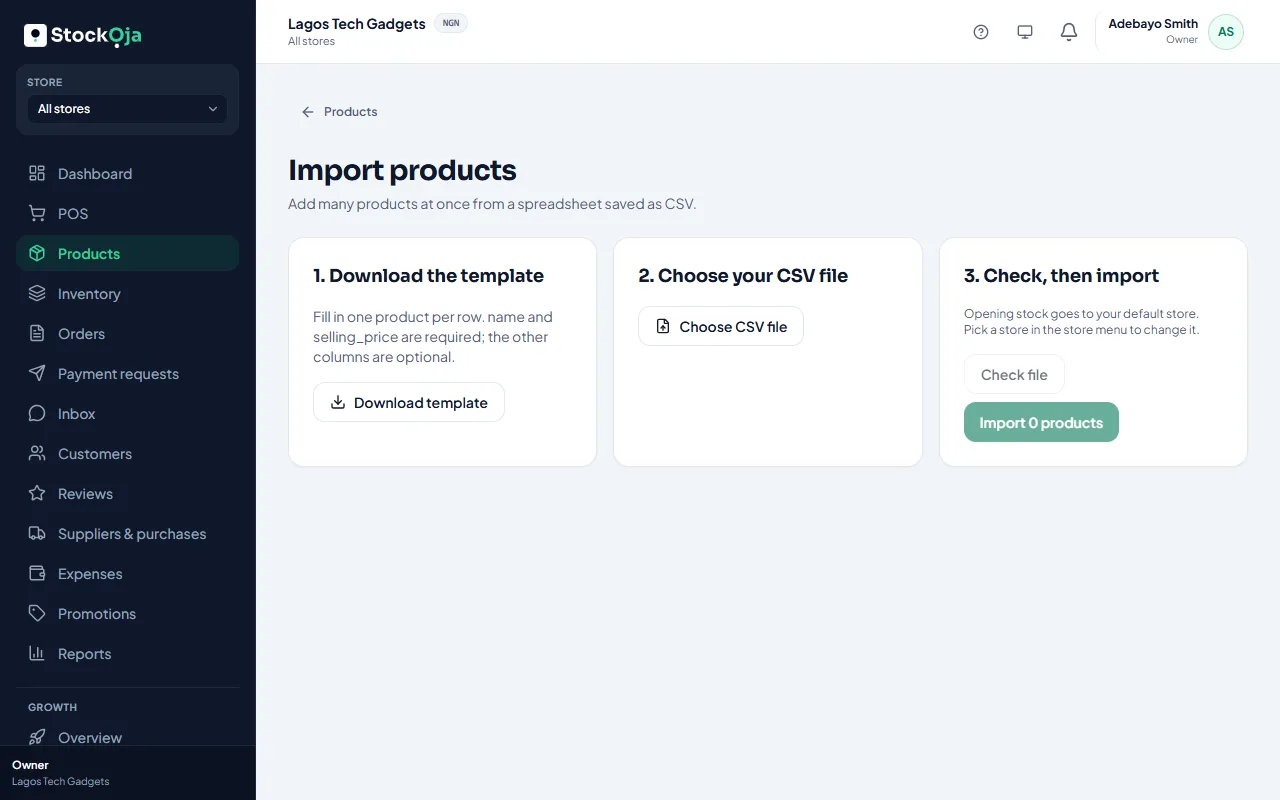
Go to Products, select Add product, then Import from a spreadsheet.
Select Download template.
Fill in one product per row. name and selling_price are required; the other columns are optional.
Save the file as CSV (in Excel: File → Save As → CSV).
Select Choose CSV file, then Check file.
Fix any rows with problems, then select Import.
The columns
name, selling_price (required)
sku, barcode
category, brand: new names are created for you
cost_price, unit
track_inventory, low_stock_threshold
status: active or draft
description
opening_stock: how many you have now
Each SKU must be unique. Your plan’s product limit applies to imports too.
Related articles
- Add several products quickly Type many products in rows, with just a name, price and quantity.
- Categories and brands Group products so staff and shoppers find them quickly.
- What the default store is for Your first store is the default. It’s used when StockỌja needs one store and you haven’t picked one.
- Export reports to CSV Download a report or your expenses as a CSV file for Excel or your accountant.