Add a product
Add one product with its price and stock, then add more details whenever you like.
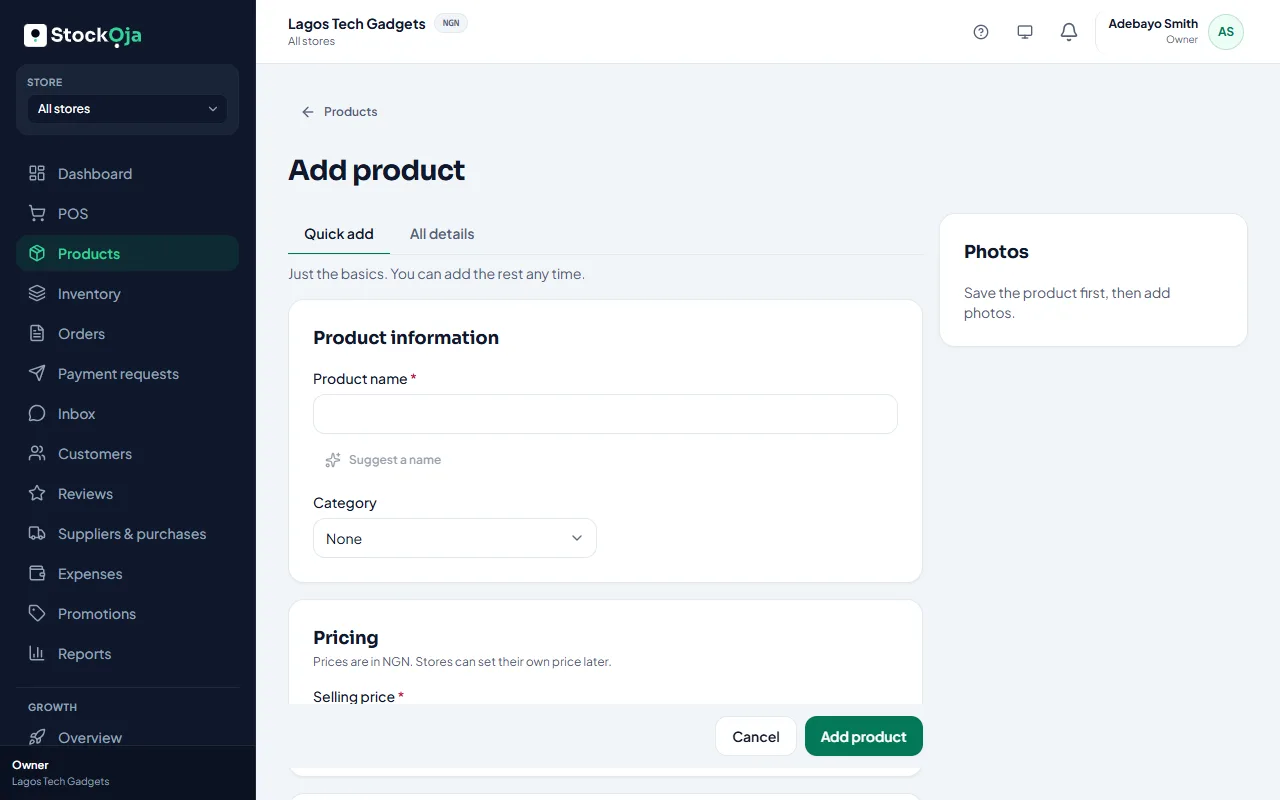
Go to Products and select Add product.
Choose Add one product.
Type the Product name the way customers know it, for example “Ankara fabric (6 yards)”.
Enter the Selling price: what a customer pays for one.
Under Opening stock, type how many you have now in each store. Leave it at 0 if you’re not sure; you can count later.
Select Save.
The product is now in the POS and, if your online store is live, on your store.
Quick add or all details
At the top of the form, choose How much to fill in:
Quick add: just the basics.
All details: codes, cost price, sizes and colours, description and visibility. In Quick add, open More options to see them.
Useful extra details
Cost price: what you pay. StockỌja uses it for profit and stock value. Shoppers never see it.
Category and Brand: help staff and shoppers find products.
Low-stock alert at: warns you when stock falls to this number.
Track stock for this product: turn it off for services or items you don’t count.
Status: Active sells in stores and online; Draft is hidden everywhere until you’re ready.
Related articles
- Sizes, colours and other variants Sell one product in several sizes or colours, each with its own stock, code and price.
- Add product photos Good photos sell better online. Add several and choose the main one.
- Add several products quickly Type many products in rows, with just a name, price and quantity.
- Archive or restore a product Stop selling a product without losing its sales and stock history.