Use the getting-started checklist
The checklist on your dashboard shows the first things to do. Tick them off in any order.
Your dashboard shows a Getting started checklist until you finish it or hide it. Do the tasks in any order.
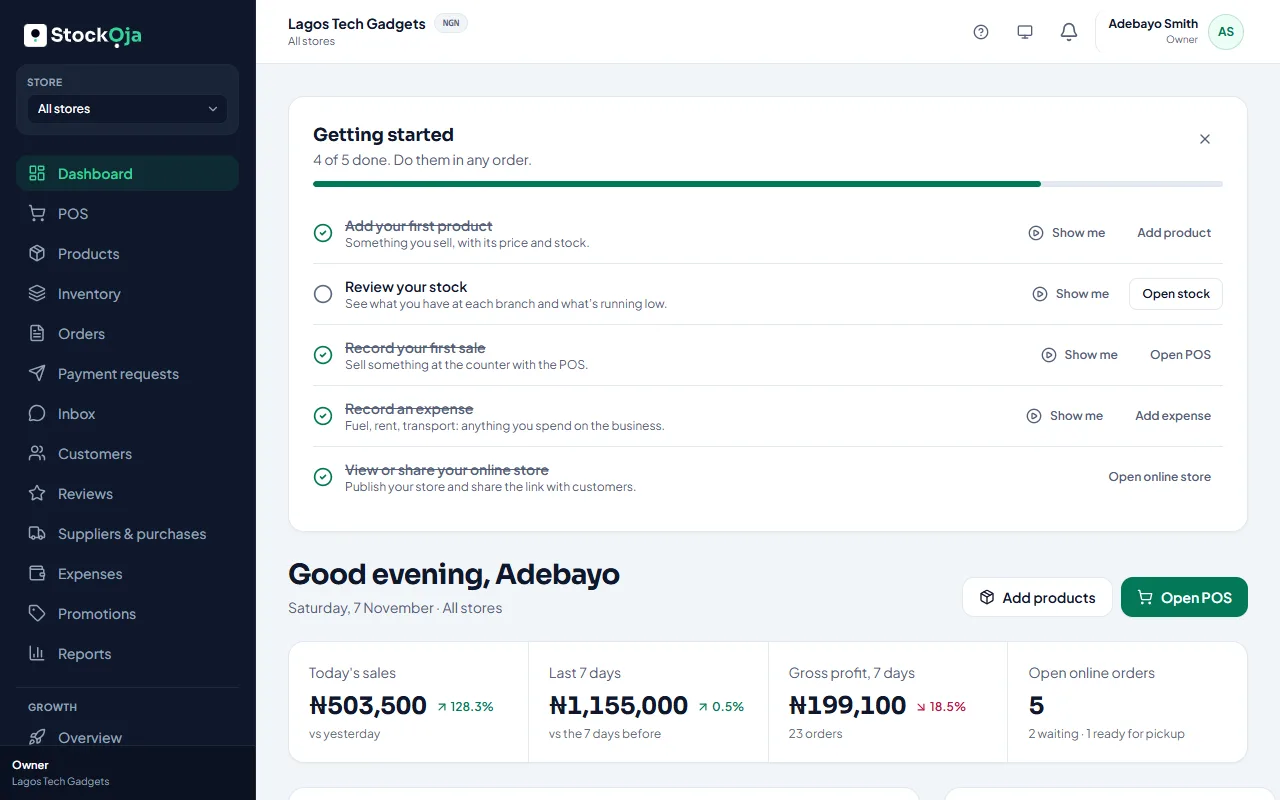
The tasks
Add your first product: something you sell, with its price and stock.
Review your stock: see what you have at each branch and what’s running low.
Record your first sale: sell something at the counter with the POS.
Record an expense: fuel, rent, transport: anything you spend on the business.
View or share your online store: publish your store and share the link.
Each task has a button that takes you there. Select Show me and the guide walks you through it step by step. A task ticks itself when you’ve done it.
Hide it or bring it back
Select Hide the checklist to remove it. To see it again, open Help (the ? at the top of the app) and select Getting started checklist.
Related articles
- Take a guided tour Short tours show you around the app and walk you through common tasks, one step at a time.
- Make your first sale in 5 minutes Add a product, then sell it at the POS. Stock goes down by itself.
- Set up your business (first steps) The setup steps after sign-up: your business name, store address, look, delivery, bank account and first product.
- Create your account (email or Google) Sign up with your email and a password, or with your Google account. It’s free to start.