Create your account (email or Google)
Sign up with your email and a password, or with your Google account. It’s free to start.
You can create a StockỌja account in a few minutes. You don’t need a card to start.
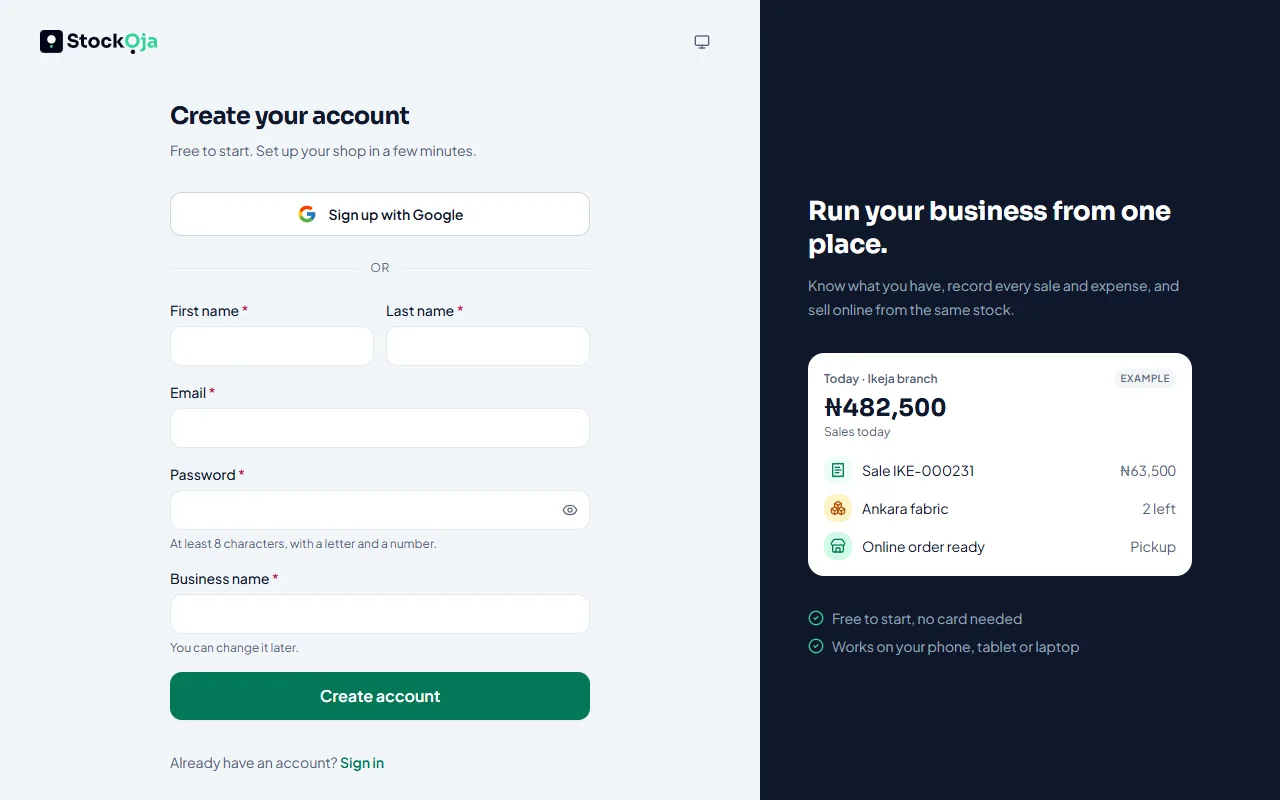
Sign up with your email
Go to app.stockoja.com and select Create an account.
Enter your name, your business name, your email address and a password. The password needs at least 8 characters, with a letter and a number.
Select Create account.
We send a link to your email. Open it to confirm your address (see Verify your email).
Sign up with Google
On the sign-up page, select Sign up with Google.
Choose your Google account.
On Finish creating your account, tell us about your business, then select Create my business.
Your Google email is already confirmed, so there is no email link to open.
Joining someone else’s business?
If your employer added you, don’t create a new account. Open the invitation email instead: see Accept a staff invite.
Related articles
- Set up your business (first steps) The setup steps after sign-up: your business name, store address, look, delivery, bank account and first product.
- Confirm your email address Open the link we email you so your account stays secure. You can resend it.
- Sign in and sign out Sign in with your email and password or with Google, and sign out when you’re done.
- Connect or disconnect Google sign-in Sign in with your Google account instead of typing a password.