Cash, card, transfer and split payments
Record how the customer paid, give the right change, and split a payment across methods.
When you select Pay, choose the Payment method:
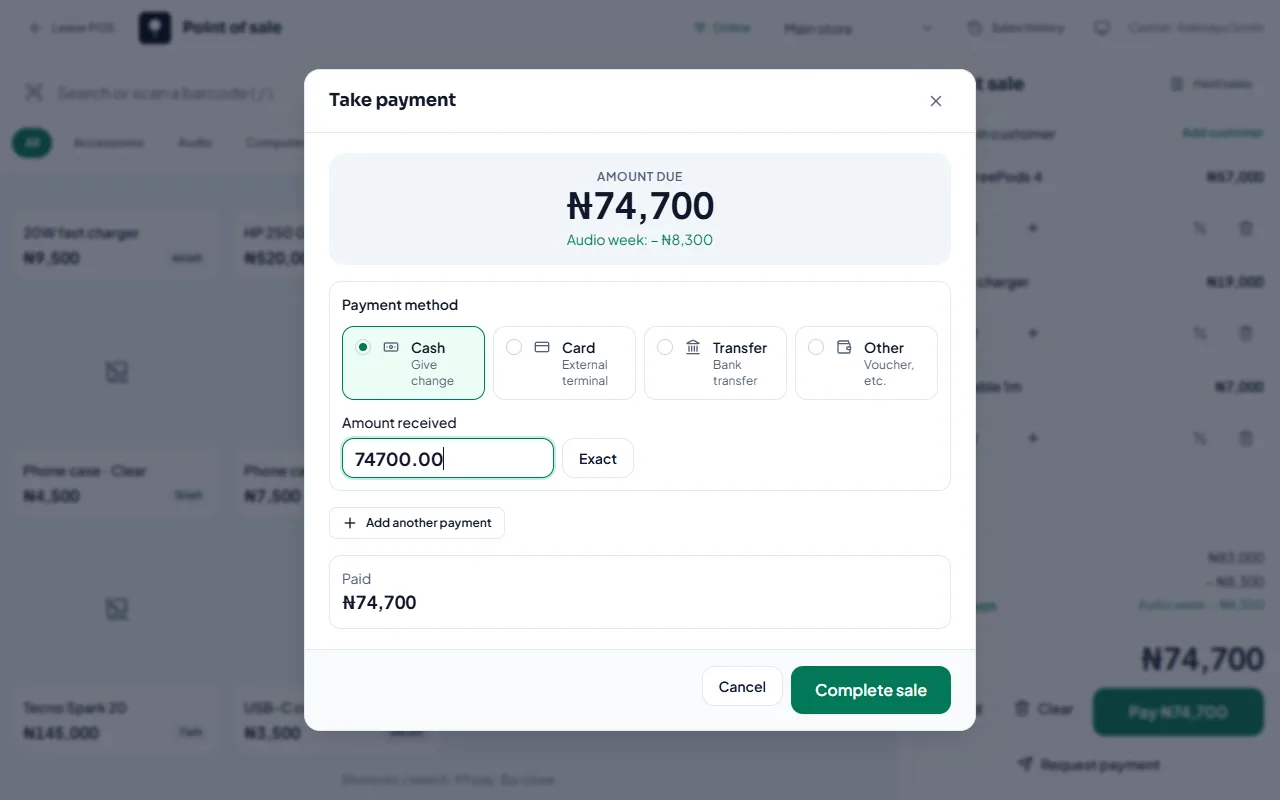
Cash: enter the Amount received. StockỌja shows the Change to give. Select Exact if they paid the exact amount.
Card: for your own POS terminal. Add the terminal slip number in Reference if you like.
Transfer: a bank transfer to your account. Add the transfer reference.
Other: vouchers and anything else.
Split a payment
Select Split payment, then Add another payment. For example, part cash and part transfer. The sale completes when Remaining reaches zero.
Customer paying from somewhere else?
Send them a payment request with a link to pay online.
Related articles
- Sell at the counter with the POS Find or scan products, take payment and complete the sale. Stock goes down by itself.
- Request a payment with a link Create an order at the POS for a customer who isn’t there, and send them a secure link to pay.
- How customers pay online (Paystack) Card and bank transfer through Paystack, paid straight into your bank account.
- Transfer stock between stores Send stock from one branch to another. It arrives when the receiving store accepts it.