Get paid into your bank account
Add the bank account Paystack pays your online sales into.
Only the business owner can do this.
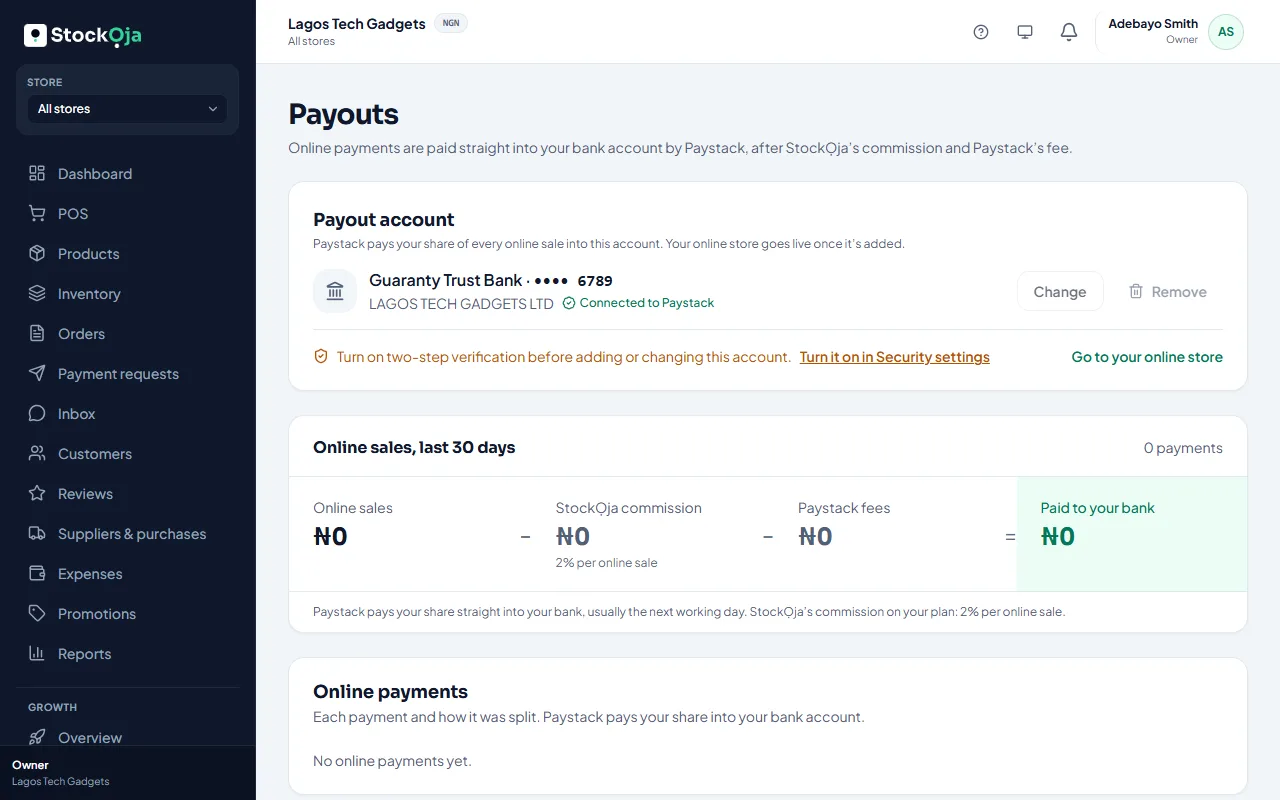
Go to Payouts and select Add bank account.
Choose your bank and type your 10-digit account number. StockỌja looks up the account name with your bank.
Select Save account.
You’ll see Connected to Paystack. Paystack now pays your share of every online sale into this account. Your online store can go live.
Change or remove it
Changing or removing the account needs two-step verification. You confirm with a code each time.
Related articles
- When your money arrives Paystack pays your share straight into your bank, usually the next working day.
- Turn on two-step verification Add a second check with a code from an authenticator app or your email, so a stolen password isn’t enough.
- Commission and payouts How commission is earned, approved and paid into your bank account each month.
- Request a payment with a link Create an order at the POS for a customer who isn’t there, and send them a secure link to pay.