Set up delivery areas and fees
Add each area you deliver to with its fee, and choose the branch deliveries go from.
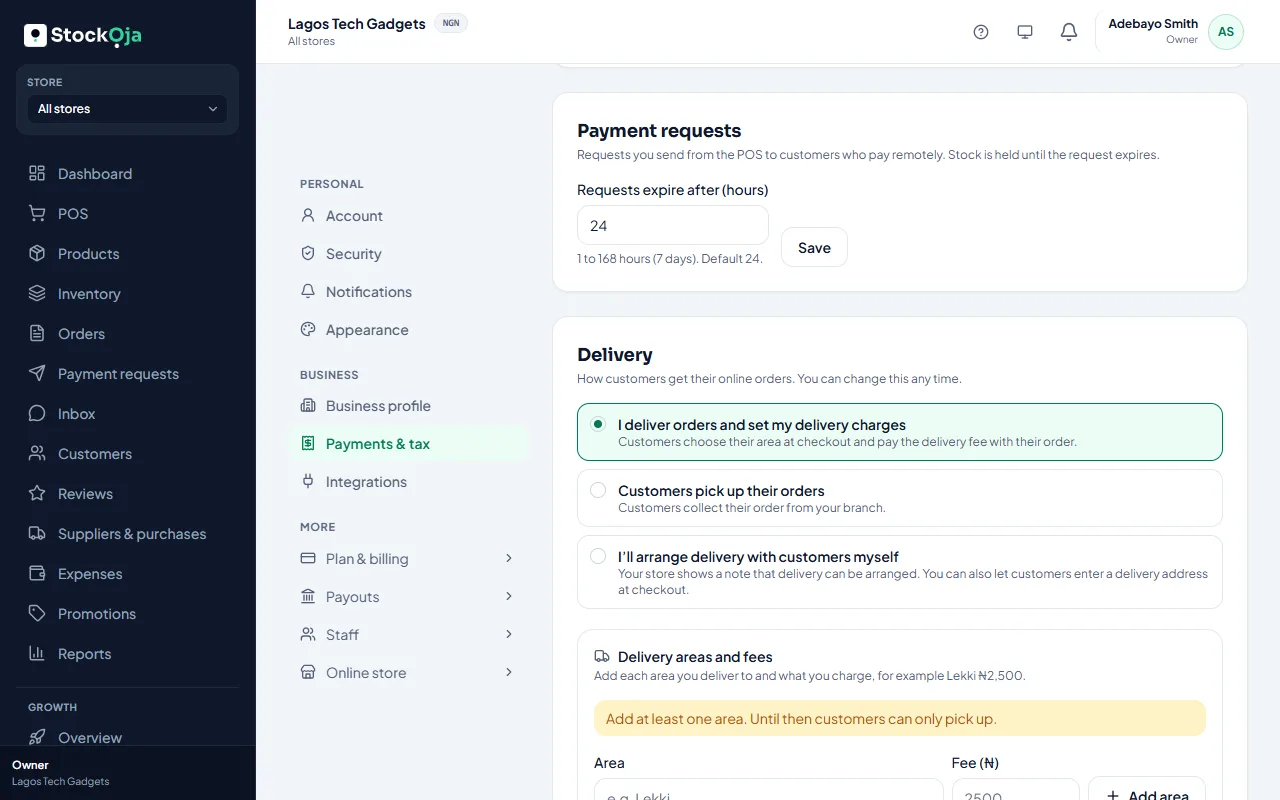
Go to Settings → Payments & tax → Delivery.
Choose I deliver orders and set my delivery charges.
Under Delivery areas and fees, select Add area. Type the area (for example Lekki) and its Fee (₦).
Add every area you cover.
In Send deliveries from, choose the branch whose stock delivery orders use.
Add a Note for customers if you like, such as delivery times. It shows at checkout.
Save.
Changing or removing an area doesn’t change orders already placed. The delivery fee is yours; StockỌja’s commission is only on the goods.
Related articles
- Delivery options: pickup, your own delivery, or delivery areas Choose how customers get their online orders. You can change it any time.
- Deliver an order Mark a delivery order out for delivery, then delivered.
- Handle online orders Confirm new orders, get them ready, then hand them over or deliver them.
- Accept delivery addresses (fee agreed later) Let customers choose delivery and type their address, then agree the fee with them.