Help customers find your store on Google
Set the title and description Google shows. Your store is listed for search engines automatically.
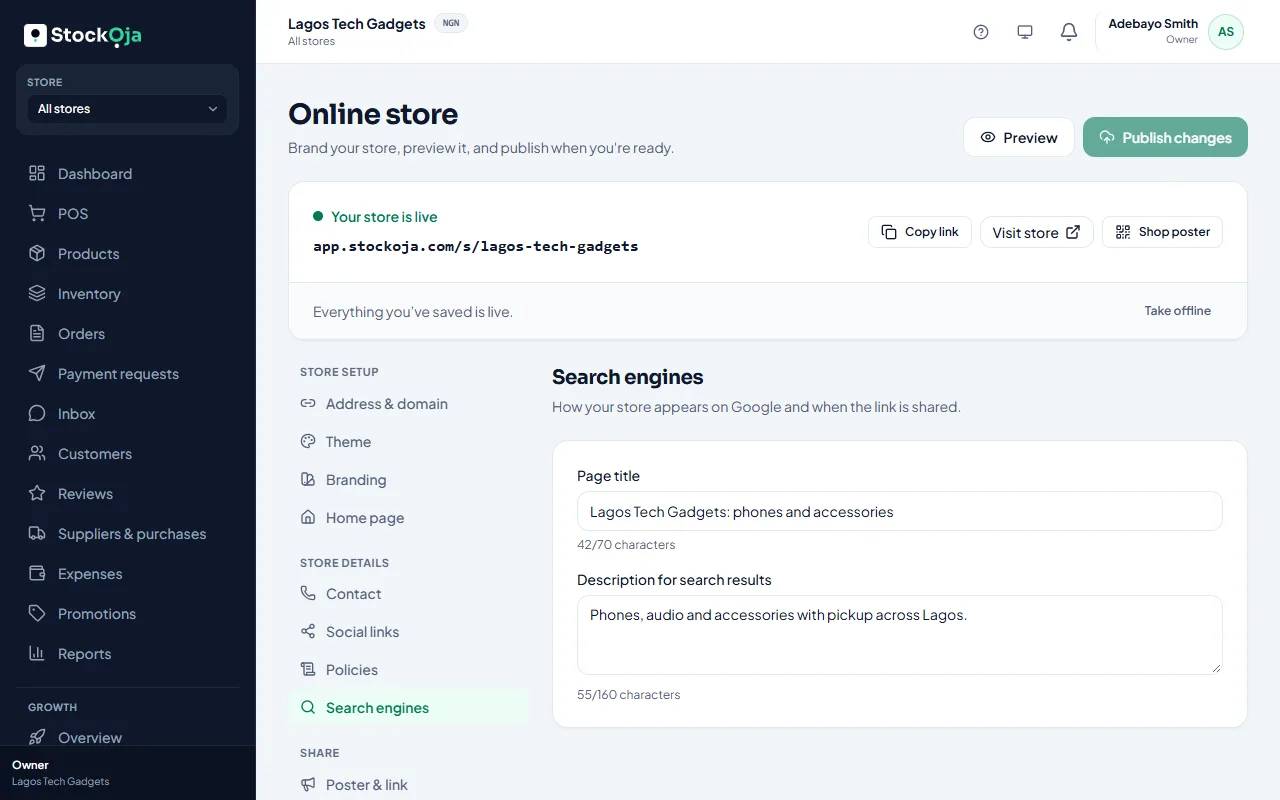
Set what Google shows
In Online store → Search engines:
Page title: up to 70 characters, for example “Adewale Fashion | Ankara and lace in Ikeja”.
Description for search results: up to 160 characters about what you sell and where.
Publish your changes.
What StockỌja does for you
Your store is indexed at its own address (yourname.stockoja.com).
A sitemap lists your published products, so Google can find them.
Each product page has its own title, description and image.
Tips
Use the words customers search for: the product and your area, such as “phone accessories Ikeja”.
Write a short description for each product.
Share your link widely. Links from social media help Google find you.
Related articles
- Share your store on WhatsApp and social media Share your link, and print a poster with a QR code for your shop.
- Your store link (yourname.stockoja.com) Your store’s web address is set once and never changes, so links you share always work.
- Create your account (email or Google) Sign up with your email and a password, or with your Google account. It’s free to start.
- Connect or disconnect Google sign-in Sign in with your Google account instead of typing a password.