Share your store on WhatsApp and social media
Share your link, and print a poster with a QR code for your shop.
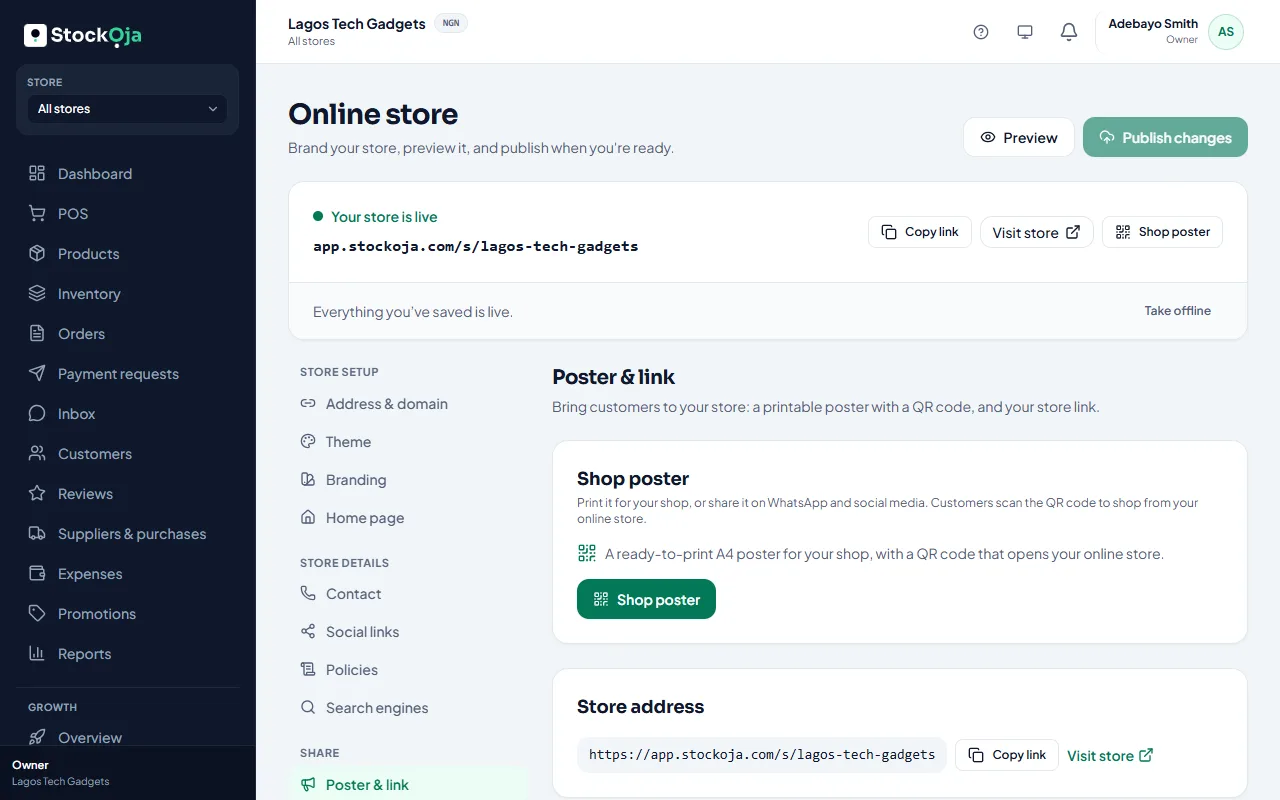
Share the link
Copy your store link from Online store and post it:
on your WhatsApp status and in chats;
in your Instagram, TikTok and Facebook bio;
in replies to customers who ask for your prices.
When the link is shared, it shows your store’s name, description and image as a preview card.
Print a poster
In Online store → Poster & link, get a ready-to-print A4 poster with a QR code. Customers scan it with their phone camera to open your store. Put it at your counter, door or delivery packs.
Related articles
- Your store link (yourname.stockoja.com) Your store’s web address is set once and never changes, so links you share always work.
- Help customers find your store on Google Set the title and description Google shows. Your store is listed for search engines automatically.
- Record who agreed to hear from you Campaigns and automatic messages only go to people with marketing consent. Record it per channel, with a note.
- Set up and publish your online store Choose your address, add a bank account, put products online and publish.