Set up and publish your online store
Choose your address, add a bank account, put products online and publish.
Your online store uses the same products and stock as your shop. Customers browse, order and pay online, then pick up or get delivery.
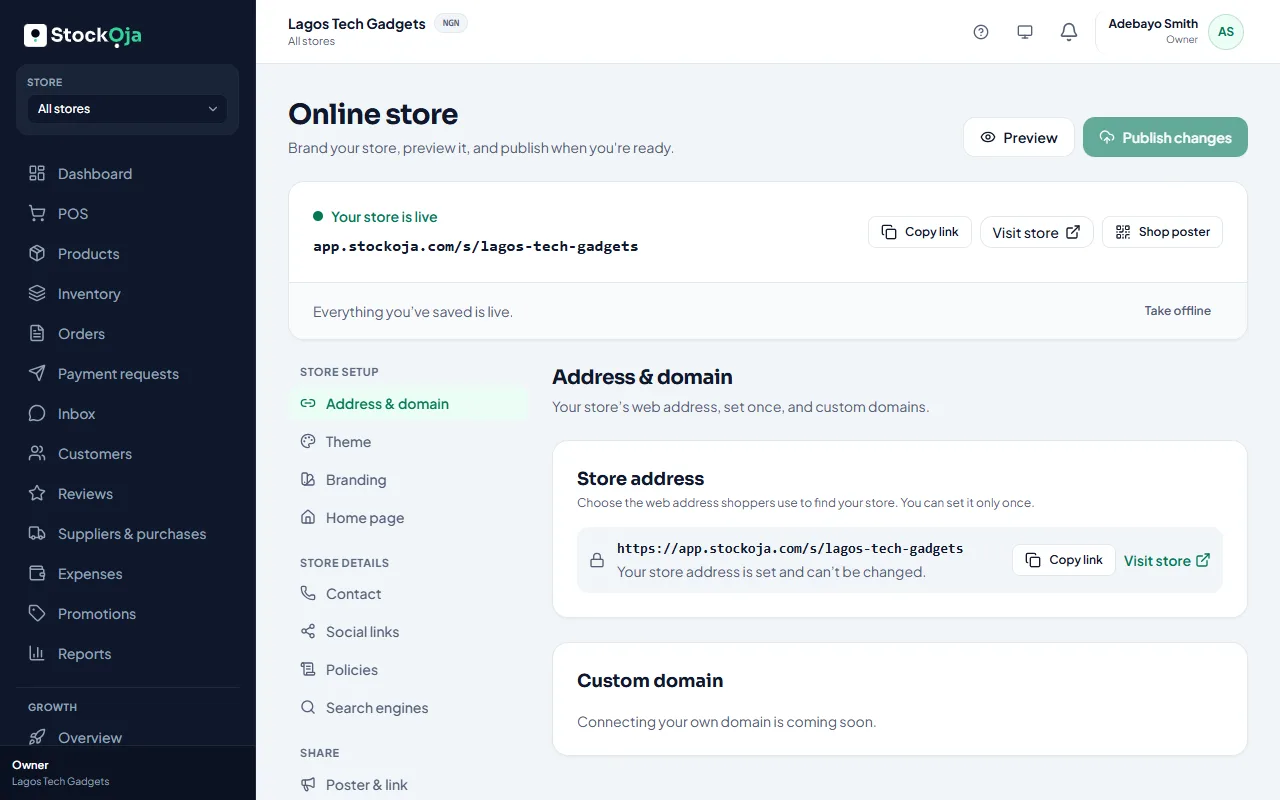
Get it ready
Go to Online store. The checklist shows what’s left:
Choose your store address: the link customers use, such as adewale-fashion.stockoja.com. You set it once.
Add your bank account: online sales are paid straight into it. See Get paid into your bank account.
Put products online: mark the products customers can order. See Which products show on your store.
Recommended: pick a theme, add your logo, colours, banner, contact details and policies.
Publish
Select Publish. Your store is live.
Make changes later
Edits are saved as a draft first. Select Preview to see the draft, then Publish changes to show it to shoppers. Discard changes goes back to what’s live.
Take it offline
Select Take offline. Shoppers see that the store isn’t available. Your products and orders are kept.
Related articles
- Choose and customise a theme Pick a design, then set your colours, banner, home page, contact details and policies.
- Your store link (yourname.stockoja.com) Your store’s web address is set once and never changes, so links you share always work.
- Get paid into your bank account Add the bank account Paystack pays your online sales into.
- Connect your own domain Use your own address, such as www.yourbusiness.com, for your online store.