Turn on push notifications
Get alerts on your phone or computer even when StockỌja isn’t open.
Push notifications are set per device.
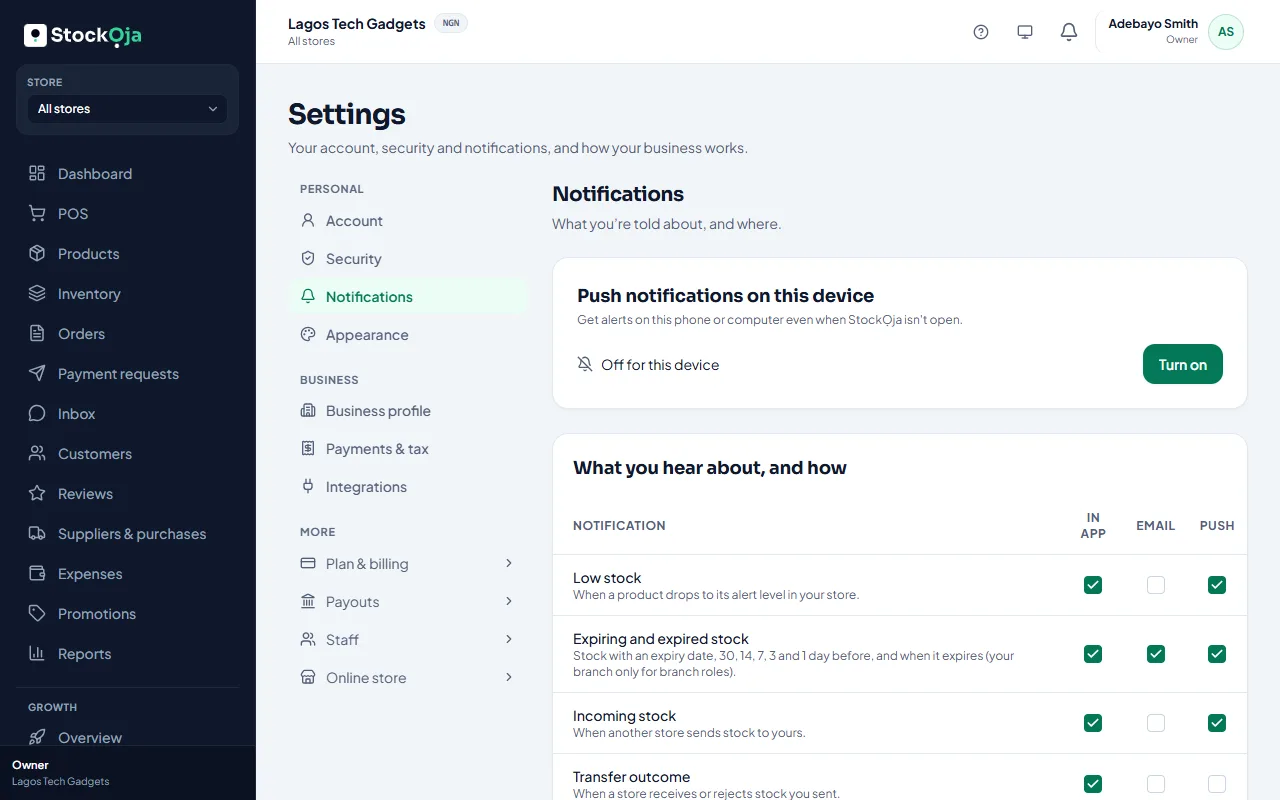
On the phone or computer, go to Notifications → Preferences.
Under Push notifications on this device, select Turn on.
When your browser asks, allow notifications.
You’ll see On for this device. Then choose which notifications use Push in the list.
If it doesn’t work
Your browser blocked notifications: allow them for StockỌja in the browser’s site settings, then try again.
On iPhone: add StockỌja to your home screen first, then open it from there. See Use StockỌja on your phone.
This browser doesn’t support push notifications: use Chrome, Edge, Firefox or Safari. You still get in-app and email notifications.
Select Turn off to stop push on this device.
Related articles
- Choose your notifications Pick in-app, email or push for each kind of notification.
- Use StockỌja on your phone or tablet StockỌja runs in your phone’s browser. Add it to your home screen to open it like an app.
- What StockỌja tells you about Every kind of notification, and when it’s sent.