Won deals and paid sales
Link orders to deals so StockỌja shows what was actually paid, not just agreed.
A won deal records the agreement. The money comes from the orders you link to it.
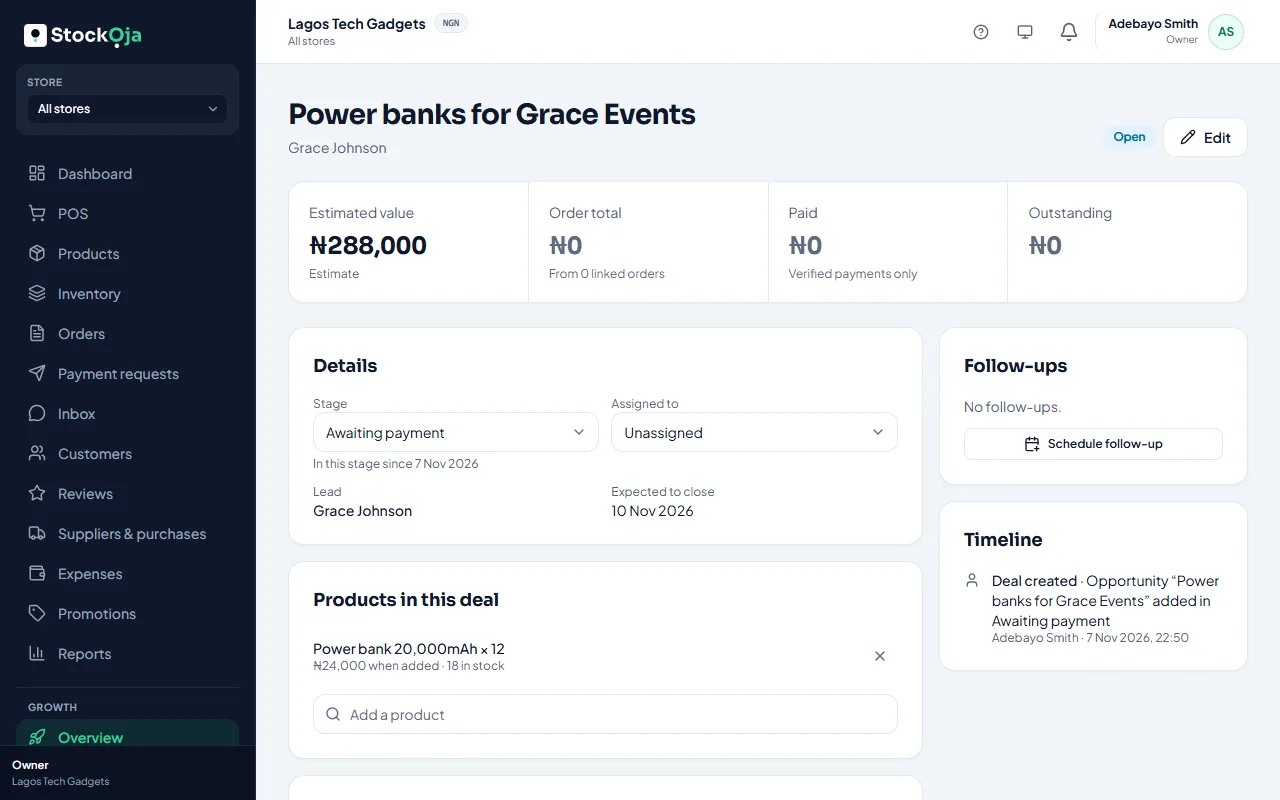
Link an order
Open the deal and select Link an order under Orders.
The customer’s orders show first. Search by order number to find others.
Select the order.
An order can belong to one deal only. Orders placed from a chat that belongs to a lead with one open deal are linked for you.
What the deal shows
Order total, Paid (verified payments only) and Outstanding.
A warning when a won deal has no linked order, or money is still owed.
The Overview’s Verified paid adds up these verified payments, so your numbers match real money received.
Related articles
- Manage your sales pipeline Create deals, move them through stages, and mark them won or lost.
- Handle online orders Confirm new orders, get them ready, then hand them over or deliver them.
- Sales and profit report Net sales, gross profit, expenses and net profit, by payment method, channel and store.
- What Growth does for your business Leads, a sales pipeline, follow-ups, campaigns and automatic messages, with paid amounts taken from real orders.