Change your pipeline stages
Add, rename, recolour, reorder or archive the stages a deal goes through.
Go to Growth → Pipeline stages. You start with: New, Contacted, Qualified, Negotiation, Awaiting payment, Won and Lost.
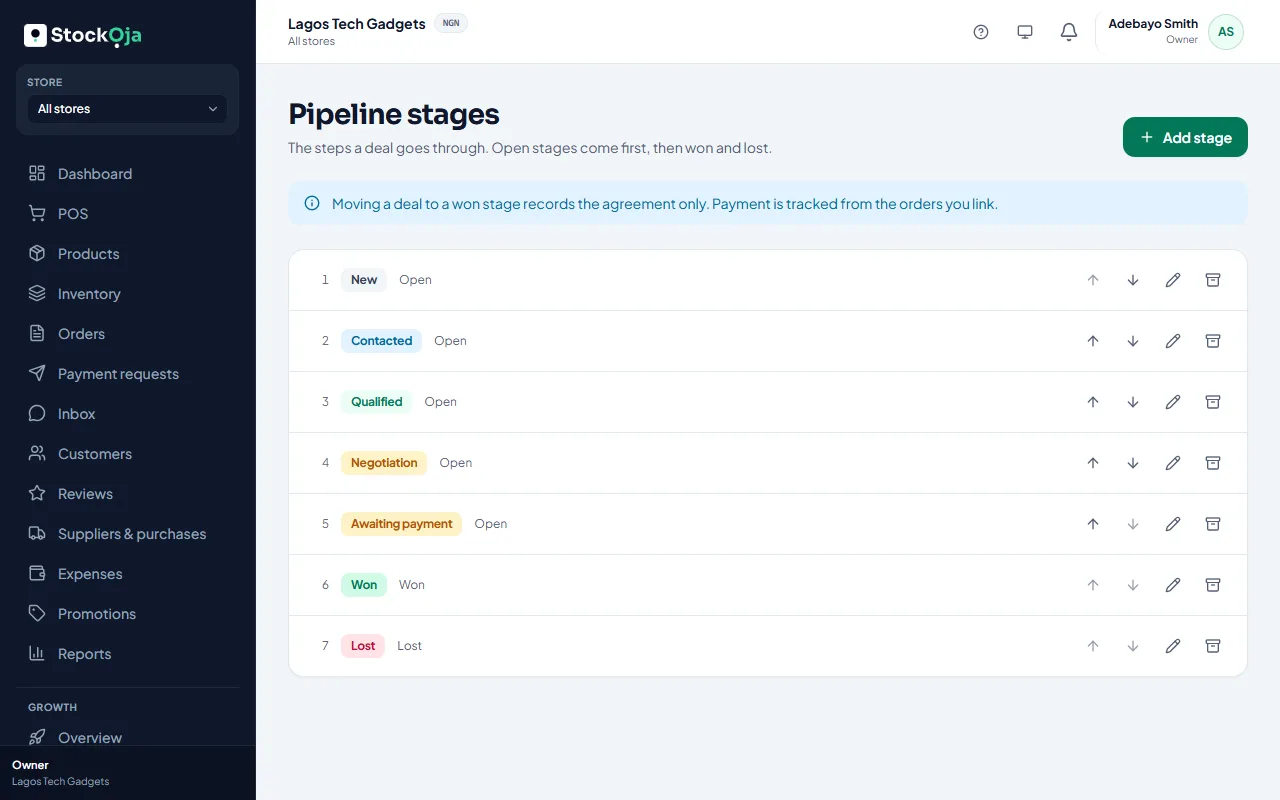
Add stage: give it a name, a Type (Open, Won or Lost) and a colour. The type can’t be changed later.
Edit to rename or recolour. Use the arrows to reorder. Open stages always come before won and lost ones.
Archive a stage you no longer use. If deals are in it, choose a stage to move them to. History stays.
You can have up to 15 stages.
Related articles
- Manage your sales pipeline Create deals, move them through stages, and mark them won or lost.
- What Growth does for your business Leads, a sales pipeline, follow-ups, campaigns and automatic messages, with paid amounts taken from real orders.
- Add and import leads Add a lead by hand, or import contacts from a CSV file. Duplicates are caught for you.
- Automatic messages (workflows) Switch on ready-made messages: a cart reminder, a welcome, win back, buy again and back in stock for leads.