Find your way around the app
The menu, the store switcher, notifications, Help and your account menu.
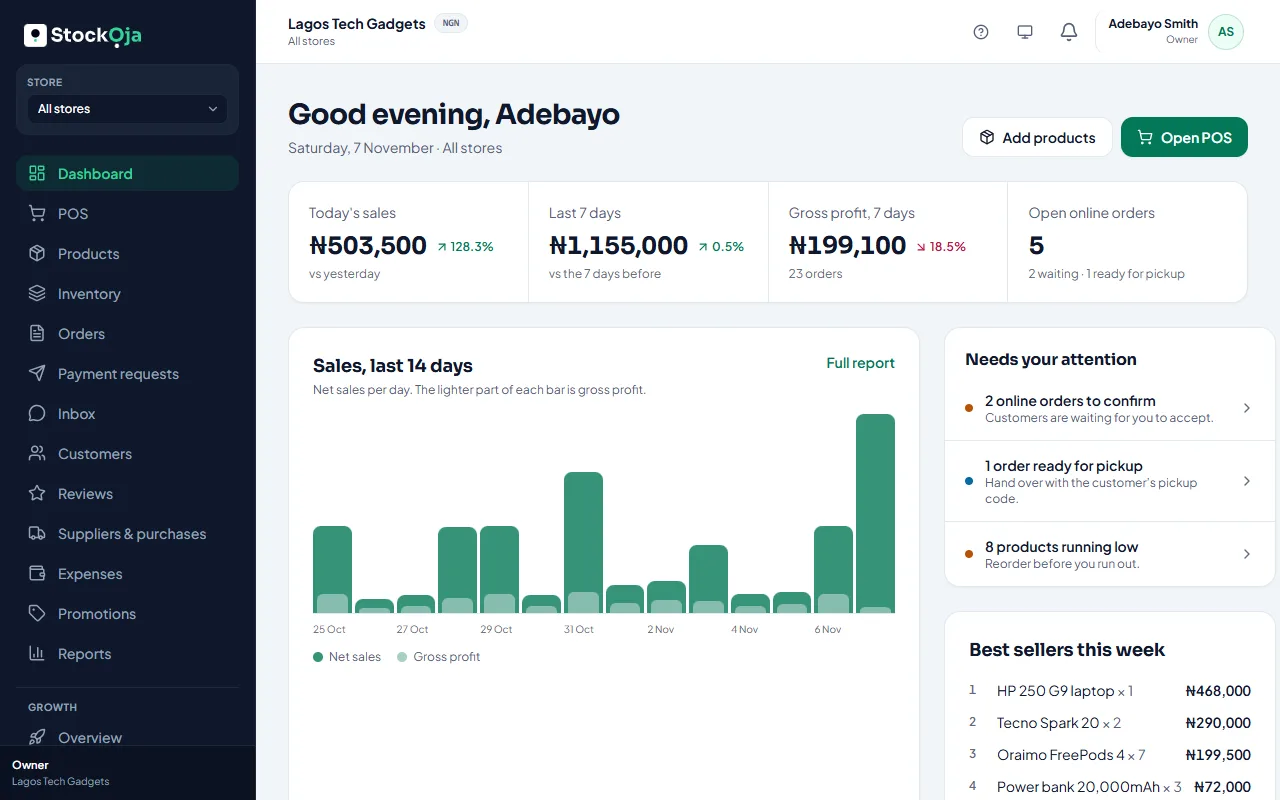
The menu
The menu on the left (behind the menu button on a phone) has every part of your business: Dashboard, POS, Products, Inventory, Orders, Customers, Suppliers & purchases, Expenses, Reports and more.
Under Business you’ll find Online store, Payouts, Stores, Staff, Roles & permissions, Activity log, Plan & billing, Settings and Help & support.
The top bar
Store: if you have more than one branch, pick which store you’re looking at, or All stores.
Notifications: the bell shows new orders, low stock and other alerts.
Help (?): the tour, walkthroughs, the checklist, the Help Centre and support.
Your account menu: your settings, the theme (light or dark) and Sign out.
Related articles
- Take a guided tour Short tours show you around the app and walk you through common tasks, one step at a time.
- A feature is missing from my menu Menu items show only when your role allows them and your plan includes them.
- Create your account (email or Google) Sign up with your email and a password, or with your Google account. It’s free to start.
- Make your first sale in 5 minutes Add a product, then sell it at the POS. Stock goes down by itself.