Record an expense
Record rent, transport, salaries and other running costs by store and category.
Go to Expenses and select Record expense.
Enter the Amount, Date and a Description.
Choose the Category and the Store.
Choose Paid by and add a Reference or receipt no. if you like.
Save.
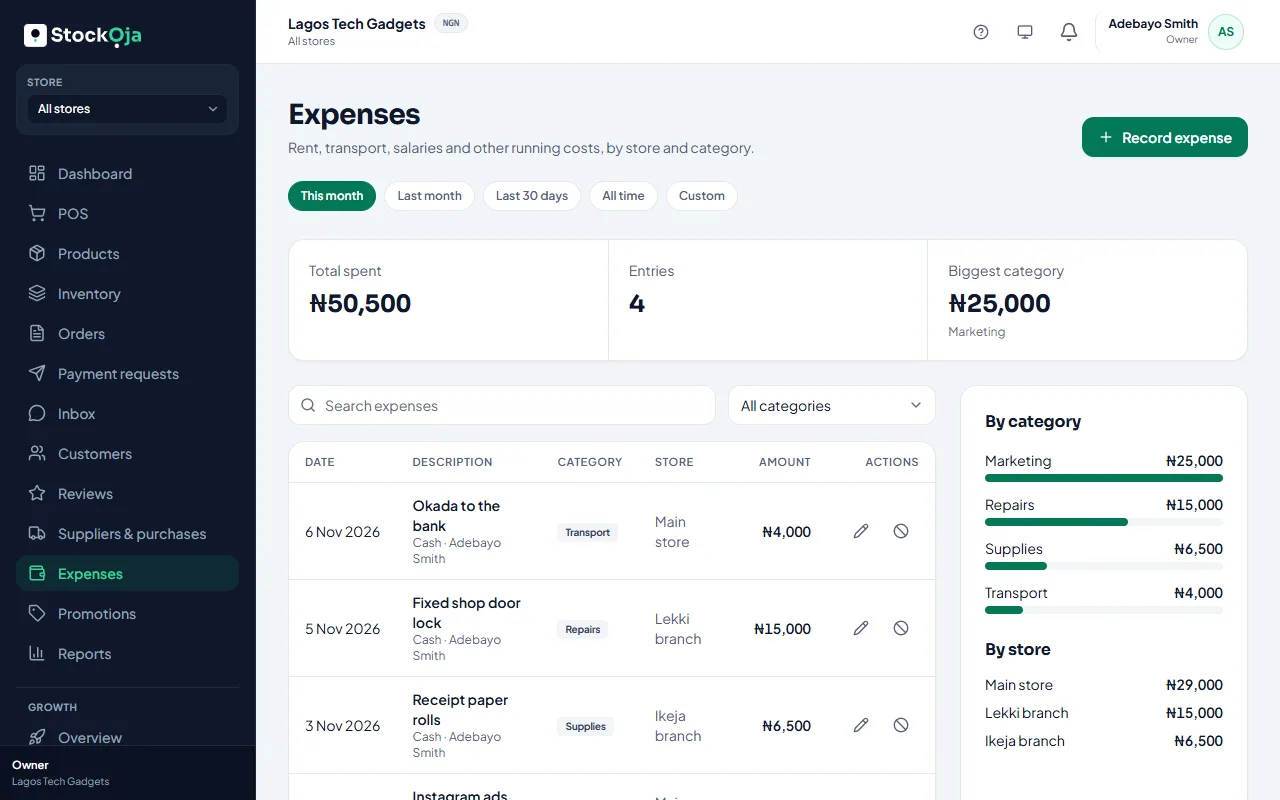
See where money goes
Choose a Period: this month, last month, the last 30 days, all time or custom dates. You see the Total spent, the number of entries and the Biggest category, with totals By category and By store.
Fix a mistake
Edit the expense, or select Void expense and give a reason. A voided expense stays in your records but stops counting towards totals.
Open Help (?) → Show me how to → Record an expense for a guided walkthrough.
Related articles
- Expense categories Group your costs so you can see where money goes.
- Sales and profit report Net sales, gross profit, expenses and net profit, by payment method, channel and store.
- Create a coupon or automatic discount Run a coupon code for a campaign, or an automatic discount such as 10% off drinks.
- Promotion rules: dates, limits and where they apply Control when a promotion runs, how often it can be used, and which products, stores and channels it covers.